
গাইড
Complete Guide to 9Wickets Mobile Registration and OTP Verification
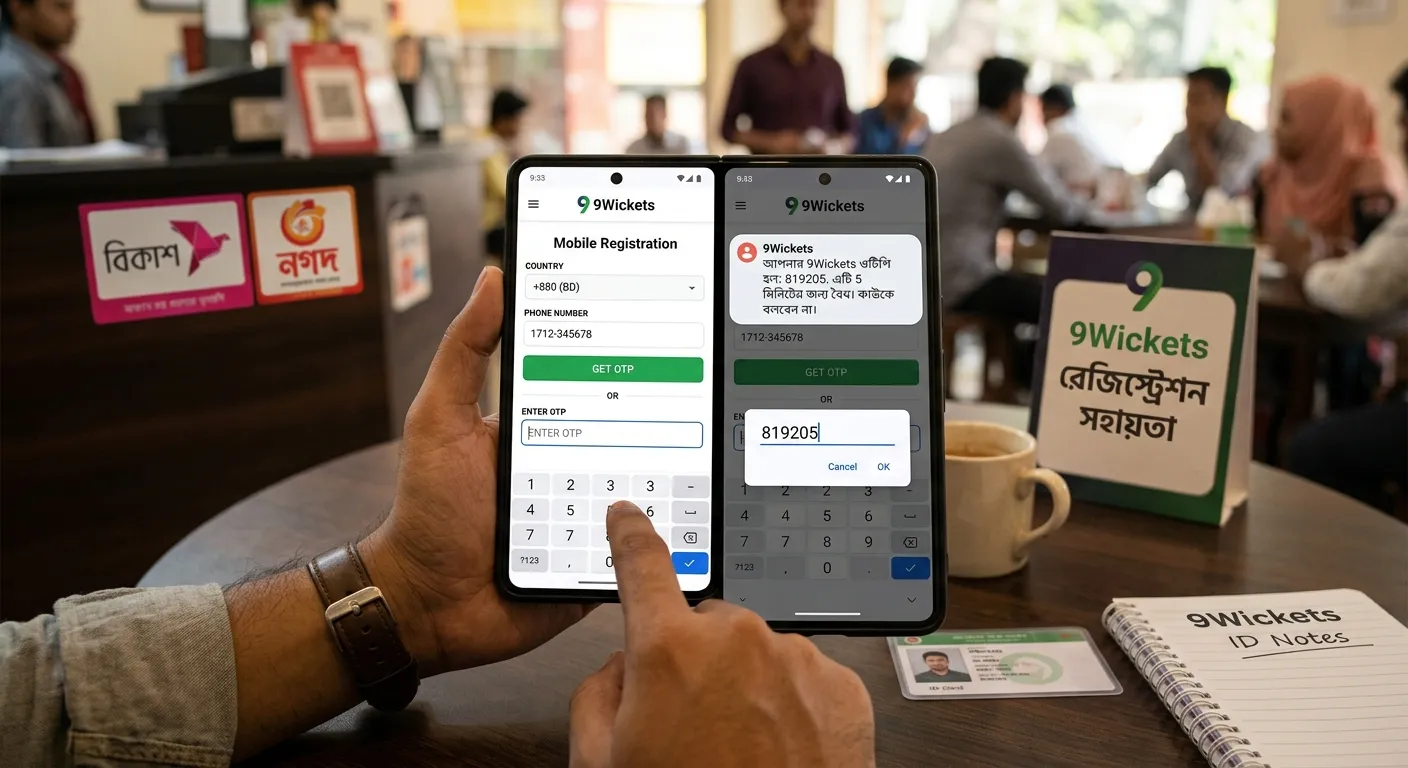
9Wickets, In online sports trading and gaming exchanges, establishing a verified account structure is essential for security and platform functionality. 9Wickets utilizes phone number registration accompanied by One-Time Password (OTP) verification to ensure every user account connects directly to a verified device.
Registering via your mobile phone streamlines login access, accelerates identity verification, and simplifies financial transfers using regional Mobile Financial Services (MFS). This comprehensive guide walks you through every step of the registration process, linking mobile payment wallets, enforcing security best practices, and resolving common sign-up issues.
Why Register via Mobile Number & OTP?
Traditional email-only registration processes often lack the real-time security needed for financial transactions and account updates. Mobile-first registration provides several key operational advantages:
- Enhanced Account Identity: Linking a device directly to an account reduces fraudulent multi-accounting and unauthorized access attempts.
- Instant Payment Linkage: Most local mobile banking platforms—such as bKash, Nagad, and Rocket—are phone-number-based. Matching your platform ID with your mobile wallet ensures smoother deposit and withdrawal auditing.
- Real-Time Notifications: Receive crucial alerts regarding account activity, security updates, and transaction confirmations directly on your personal device.
- Rapid Recovery Options: Recover lost passwords or compromised credentials quickly using direct SMS authentication.
Pre-Registration Checklist
To ensure a seamless registration experience without interruption, prepare the following prerequisites before initiating sign-up:
- Active Mobile Device: Ensure your phone is powered on, has a stable cellular connection, and can receive shortcode SMS messages.
- Stable Network Connection: Connect to a secure Wi-Fi network or stable cellular data connection to prevent timeout errors during the verification phase.
- Registered Mobile Financial Account: Have your primary mobile banking wallet details ready. Using the same mobile phone number for both registration and financial transactions minimizes administrative review delays.
- Personal Identification (Optional for Initial Setup): Keep basic personal details handy for completing secondary profile verification after registration.
Step-by-Step Registration & OTP Verification Process
Follow this step-by-step walkthrough to successfully create and verify your 9Wickets user account.
Step 1: Navigate to the Official Registration Portal
Access the official 9Wickets portal using a secure web browser or through the primary platform mobile application. Look for the prominent Register, Sign Up, or Join Now button on the main navigation bar.
Security Note: Always verify that you are accessing the legitimate site domain. Never enter your mobile phone number on unverified third-party landing pages or suspicious mirror sites.
Step 2: Select Country Code and Enter Phone Number
In the primary registration form:
- Select your country code from the drop-down menu (e.g., +880 for Bangladesh).
- Enter your primary phone number without leading zeros if the code field already includes it.
- Double-check all digits for accuracy to prevent sending authentication codes to an incorrect number.
Step 3: Request the One-Time Password (OTP)
Click the Send OTP, Get Code, or Verify button adjacent to the phone number input field. The 9Wickets system will dispatch a unique, time-sensitive verification code via SMS to the provided phone number.
Step 4: Receive and Input the OTP
Check your mobile phone’s SMS inbox for a message containing your 4-digit or 6-digit verification code.
- Input the exact code into the designated OTP Verification field on the sign-up screen.
- Be mindful of the countdown timer (typically 60 to 180 seconds).
- If the code does not arrive before the timer expires, click Resend OTP to request a new verification message.
Step 5: Configure Account Credentials
Once the system validates your mobile number, complete the remaining security and profile fields:
- Username: Choose a unique handle or accept an auto-generated system ID.
- Password: Create a robust password containing a mix of uppercase letters, lowercase letters, numbers, and special symbols (e.g.,
#,$,%). - Preferred Currency: Select your local operating currency (e.g., BDT) for account accounting.
- Referral / Agent Code (Optional): If you are joining through an authorized Master Agent network, input their verified Agent Code into this field.
Step 6: Review Terms and Finalize Account
Read through the platform’s terms of service, privacy policy, and age limits (must be 18+). Check the agreement box and click Complete Registration. Upon submission, your user dashboard will load immediately.
Integrating Mobile Financial Services (MFS) and 9wickets agent list.
With your phone number verified, configuring local mobile financial services allows for streamlined cash-ins and withdrawal requests.
| Payment Gateway | Transaction Type | Verification Layer | Recommended Use Case |
| bKash | Cash In / Cash Out | Account Number & TrxID | Primary option for rapid daily deposits |
| Nagad | Direct Wallet Transfer | Account Number & TrxID | Higher transaction limits & fast settlement |
| Rocket | Mobile Banking Deposit | Account Number & TrxID | Reliable alternative for regional users |
| Bank Transfer | Direct Account Transfer | Account Name & Account No. | Larger transaction settlements |
How to Link Your Payment Profile
- Navigate to Account Settings or the Wallet / Cashier section in your dashboard.
- Select Add Payment Method and choose your preferred MFS operator.
- Enter the account number associated with your mobile wallet.
- Save the profile settings. Using payment accounts registered under the same name and mobile number as your 9Wickets account speeds up withdrawal audits.
Security Best Practices for Mobile Accounts
Protecting your account goes beyond initial registration. Implement these essential protocols to keep your funds and personal information safe:
1. Guard Your One-Time Passwords
Your SMS OTP acts as an authentication key. Never share your OTP with anyone—including customer service representatives, platform administrators, or Master Agents. Official representatives will never ask for your verification codes.
2. Practice Strong Password Hygiene
Avoid using easily guessable passwords like your birthdate, phone number, or simple sequences like 123456. Use a dedicated password manager to store complex credentials securely.
3. Maintain Device Security
Ensure your mobile phone uses biometrics (fingerprint or face recognition) or a secure screen lock PIN. If your device is lost or stolen, contact platform support immediately via secondary channels to temporarily freeze your trading account.
4. Monitor Logged-In Sessions
Periodically inspect the Active Sessions or Security History tab in your profile settings. Log out of all inactive devices and clear saved browser credentials if accessing your account on shared devices.
Troubleshooting Common Registration Issues
If you encounter difficulties during phone registration or OTP verification, refer to these resolutions:
Issue 1: SMS OTP Not Received
- Cause: Cellular network congestion, shortcode blocking enabled by your mobile carrier, or poor signal strength.
- Solution: Confirm your device has full cellular reception. Disable any SMS blocking apps or spam filters, toggle Airplane Mode on and off, and click Resend OTP after the timer resets.
Issue 2: “Phone Number Already Registered” Error
- Cause: The mobile number was previously used to create an account.
- Solution: Platform policies restrict users to one primary account. Return to the main login page and click Forgot Password to recover your credentials using the existing mobile number.
Issue 3: Invalid or Expired OTP
- Cause: Entering the code after the expiration window or inputting an outdated code after requesting multiple resends.
- Solution: Clear the input field, wait for the timer to end, request a fresh OTP, and input the newest code immediately upon arrival.
Issue 4: Session Timeout During Sign-Up
- Cause: Extended inactivity on the registration page while waiting for the verification code.
- Solution: Refresh the browser tab, clear your browser cache, and restart the process from Step 1.
Summary Checklist for New Users
- Step 1: Verify you are on the primary, authentic 9Wickets domain.
- Step 2: Input your active mobile number accurately with the correct country code.
- Step 3: Enter the SMS OTP before the countdown timer expires.
- Step 4: Set a complex password combining letters, numbers, and symbols.
- Step 5: Link a matching mobile wallet for smooth financial deposits and withdrawals.
- Step 6: Keep all credentials, PINs, and OTPs completely private.
আরও পড়ুন
সম্পর্কিত গাইড

Big Gaming with The 9Wickets: A Complete Guide to Online Gaming Entertainment
Online gaming has become one of the fastest-growing forms of digital entertainment, giving players access to exciting games from their smartphones, tablets, and computers.…
সম্পূর্ণ গাইড পড়ুন
Customer Service at 9Wickets – Here to Help
9Wickets, In the fast-paced world of online entertainment, gaming, and digital sports platforms, having access to reliable, responsive, and clear customer support is essential.…
সম্পূর্ণ গাইড পড়ুন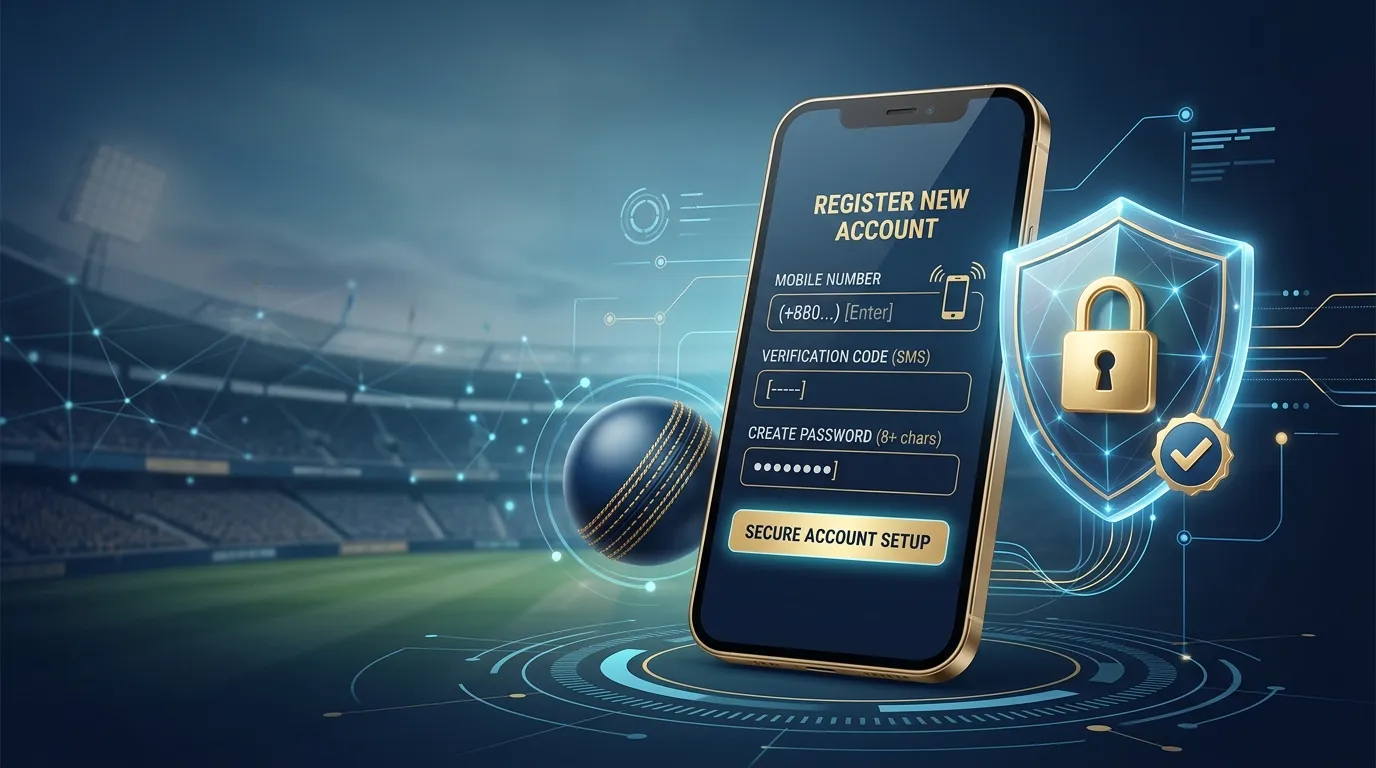
How to Register on 9wickets Using a Mobile Number: A Complete Step-by-Step
9wickets, In the rapidly growing world of online sports trading and gaming exchanges, 9wickets stands out as one of Asia's most trusted peer-to-peer cricket…
সম্পূর্ণ গাইড পড়ুনএই গাইড কাজে লাগানোর সময় এখনই
বিকাশ, নগদ বা রকেট দিয়ে 9Wickets অ্যাকাউন্ট খুলুন, অথবা সাহায্য লাগলে সরাসরি সাপোর্টে কথা বলুন।